Connecting With Parents Online (Part Three)

arrow

Moving Forwards

After the success of last night’s online meeting with parents, my line manager, Greg (@greghodgson) asked me to consider how we (CCC) should move forward with this process. He asked me two questions: 1. How do we push this out across all departments? 2. How do we convince a majority of parents to access it?

Below is my initial response to these questions:

1. How do we push this out across all departments?

So far only English, Media Studies, Maths and Science have delivered online meetings with parents. To get more departments involved I think we need to make the value of the meetings as clear as possible. They offer improved (mass) communication with parents. The parents feel more informed and they really like that they did not have to come all the way to school. Students benefit from improved support from home.

A simple and engaging document that explains the methodology and pedagogy behind the meetings needs to be made available. It is imperative that we market the meetings in the right way therefore I would include quotes from parents giving positive feedback. This could be handed out in either a staff meeting or in a CPD session.  Alongside the document we must capture their interest by allowing them to view a meeting – either a recording or ideally to join in with a live event to get a realistic understanding of how they work.

(We could perhaps be more direct; making it a requirement for all departments to complete at least one online meeting with parents during the next academic year. However, I feel that the quality of the meetings would suffer if this is forced upon departments/teachers.)

2. How do we convince a majority of parents to access it?

The number of parents joining the meetings has been encouraging but moderate. We would like a majority to attend. I personally feel that we need to get better at utilising parent power. (A satisfied customer is the strongest advocate you can have.) We need to get a few of the parents who have attended the meetings to make contact with other parents and share their experiences. Also, we could get the PTA involved in helping to promote them.

We need one brand (maybe a postcard) that can be used for all meetings of this kind that can be quickly and easily produced. I know e-mail works but I do wonder how many parents either did not read the e-mail or read it and forgot about it.  Some times paper still is the best way. We also need to get parents past the fear of it being online (and we need to get teachers past this fear to). Accessing email, clicking on links is daunting for some parents and teachers.

One good question leads to another:

As usual when asked a series of questions I always come back with many more. Here are a few:

  • Is this the solution to improving all parental contact?
  • Could parents evenings be done this way?  What would the implications be if they were?
  • Are these meetings for mass communication only, leaving 1-2-1 communication to remain in the domain of parents evenings, telephone conversations and email?
  • Should tutors be making use of it to introduce themselves to parents at the start of the year?
  • Is Adobe Connect the best solution for us / for the parents? What about Skype or other web based communication systems?

Food for thought! If you have any questions or thoughts about what we have been doing please email me or tweet me.

You can read my previous two posts on Adobe Connect and online parents meetings here and here.

Image courtesy of yago1.com on Flickr.

Flip Cameras & Post-it Notes

flip ultra hd and post it notes

A fellow Media Studies teacher contacted me about a week ago to ask permission to use one of my student’s coursework pieces on his blog. I agreed and being curious had a scour of his blog to see how a fellow blogger was making use of his own class blog. While scrolling through the posts I came across an activity he had completed with his A2 students. To help them prepare for their upcoming exam, he got them to make videos using Post-it Notes explaining the skills they had developed in post production during their coursework. I immediately saw an opportunity to use the same tools to help my Y10 GCSE Media Studies students to prepare for their exam which is coming up on the 25th June.

First of all I had to assemble the tools. As this was a quick project, I decided, it would be a perfect opportunity to use the Flip HD Ultra Cameras that I had bought earlier in the year for activities such as this. I made sure that every group also got a tripod, fine liner, pack of highlighters and of course Post-it Notes.

When the class entered the room I had one of the A-Level student’s videos playing. After my students had settled I stopped the video and explained that we would be doing something similar today to help them with their exam preparation. Most of them had clocked the collection of camera and tripods as they had walked in so there was a sense of anticipation in the air.

I explained what the task was and what the expected learning outcomes should be. I then demonstrated how to use the equipment and made 10 seconds of video myself in a slightly Dylanesque way holding up and throwing away Post-it Notes one by one as I narrated direct into the camera. The students got a laugh out of seeing me on camera while also seeing how easy the equipment was to use. Next, I reminded them of a few key points and what their deadlines were. After that, I put them into groups and let them loose. I spent the rest of the lesson supporting them answering any questions they had and dealing with any technical difficulties. (Note – You will need more space than your classroom allows, I had planned ahead and new that one or two other rooms nearby would be free for the second half of the double lesson.)

Task: Explain what you need to know to be able to succeed in your GCSE Textual Analysis paper (Section A) on June 25th.

The lesson was a double and it broke down (neatly) as follows:

L1 – After the introduction and demonstration the students spent the majority of this lesson creating the Post-it Notes and scripts to be used in their videos. There are 3 questions in that part of the paper: Q1 focuses on Genre; Q2 focuses on Textual Analysis; and Q3 focuses on Representation.

L2 – During the second half of the double the students created their videos; uploaded them, making any necessary edits; and then exported a copy to be uploaded to VLE.

They had a great time and all of the students were proud of what they had achieved. More importantly the results were great with some students demonstrating an excellent understanding of what they need to do in their exam. Some of the videos are a little out of focus and one group learned an important lesson about shot distance but all in all I (like them) was very satisfied with the activity and its outcomes.

Here are two examples of the results:

And as ever, should you have any questions you can email me or tweet me!

“Fin ur txt msgs 4 hmwk; due 14.05.”

iPhone OK

I have spent the last five weeks with my Year 11 top set English class immersed in revision. They planned their revision timetable themselves deciding what they thought their weaknesses were and which parts of the syllabus they were not as confident about. Since then we have steadily worked on each area and this past week’s focus was Cluster 1 from the Poetry from Different Cultures section of the AQA Anthology.

In an attempt to challenge the class and mix things up a bit I decided to get them to do an activity where by they compared two poems over four paragraphs – explaining the ways in which they are connected. However the catch would be that they could only use 160 characters per paragraph; the same length as a text message! When asked: “…if that included spaces?” The answer of course was: “Yes.” The students then set to work with the usual aplomb that I have become accustomed to.

I felt that using the restrictive rules of text message lengths would focus, challenge and improve my students’ ability to revise effectively. They had to think very carefully about what they wanted to say which was then reinforcing their learning. Also, it meant that they were “reducing” – a concept that I spend a lot of time drilling into my students during this time of the year. It is my beleif that effective revision works best if you can reduce the amount you need to read over time – turning a whole folder of notes into A3  posters; then into A4 sheets; then words and phrases on flash cards. Eventually, just individual words and symbols become enough for a student to remember quotes and complex ideas.

The activity also challenged them to communicate concisely – something top set English students don’t seem to be able to do very well. It was great fun and the students really enjoyed but they found it very difficult. Some even suggesting that I had taught them too well and that they did not know enough text language as they hardly ever use it. This I found hard to beieve but more and more came forward saying that they write their messages as fully as possible – some even said that when friends used text language or spelt things wrong they get really aggravated.  So, perhaps there is hope? Civilisation will not come to an end yet!

I, on the other hand, had made a classic school boy error! I had presumed too much…thinking that my students being 15/16 years old would all be expert texters.  I see them everyday with their mobile phones literally glued to their hands and ears. I assumed they held within their brilliant young minds an encyclopaedic knowledge of text language and therefore this activity would be a breeze for them. What occurred in the classroom was quite the contrary. They were flummoxed, some so used to being able to do the work that they looked completely dismayed. Conclusion: Not all teenagers like to text!

We did not give up though! Eventually the students and I started to see results, that was, after I demonstrated my own skill at using text language or should I say “txt lang”. What I was really showing them was “tweet language” as I don’t really use my mobile phone but I tweet – a lot! Having become quite effective at truncating my sentences to fit the 140 character limit it became apparent that I was the expert and demonstrated a variety of ways to reduce the length of words.

The students began to get the hang of it and some of the results were very effective and students started texting each other their messages about their poems. This is what I had hoped for! They were sharing ideas and knowledge with each other that was concise, useful and they could take it away with them. Perhaps when they are looking through their texts they will look at them and revise when they were least expecting to? Several of the students did not manage to complete all 4 text messages so they asked to finish them for homework to which I said of course they could and wrote the following on the board:

“Fin ur txt msgs 4 hmwk; due 14.05.”

As well as revising poetry and having fun doing it my class also learned an important lesson about context. As they tried to abbreviate, reduce and find the best ways of communicating their ideas in the text message format they realised that should their texts be read out of the context of the room in which they were sitting they would probably not make much sense at all. For example within the context of our classroom the students would probably figure out that:

“L+NC r sim. bcuz both exp. imp. of whit cult on blk cult”

…was a shortened version of:

“Limbo and Nothings Changed are similar because they both explore the impact of white culture on black culture”

It would be very unlikely that someone reading the text outside of our classroom would understand it. This was not the intended learning outcome of the lesson but a useful by product none the less!

If I had been in a computer room I think I would have done this with Twitter as I would have had a record of all of the messages which could have then been reused. Although, adding a hash tag would have made the activity even more challenging! This activity was a great success, my class told their friends about it and I was soon asked by some of my colleagues about it.

Mobile phones and Twitter have a place in my classroom (along with many websites, apps and other technological devices). Their place is to enhance the learning of my students. Embracing a 21st century education through the use of technology is not always easy but I would encourage you to go for it. The results may not always be spectacular but they will be useful and like anything new, need to be tested, refined and improved upon.  I will certainly do this activity again but I have already thought of several ways to make it better… As usual, should you have any questions please mail me or tweet me!

Image courtesy of mastrobiggo on Flickr.

#mootuk10 (Holes In Walls & Cyberspace)

I just found out that I have been quoted in an article on Moodle Monthly written by Kristian Still (@Kristianstill) and Craig Sumner (@hamblecollege). The article offers a recap of the first day of this years Moodle Moot UK. You can read the article here.

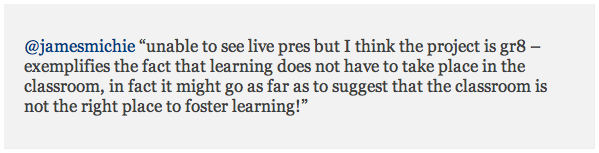
I am quoted, responding to the back channel discussion (via Twitter) that was flowing, in response to Professor Sugata Mitra’s keynote on “Hole In The Wall”. A stunning and humbling project which began in 1999 when he was working in Delhi. Working next to a slum he knocked through a wall and stuck a computer in with an Internet connection. After just a month many kids had taught themselves to use the computer improving their literacy and numeracy skills. This turned into a huge project that has seen massive success.

His talk, while I am yet to see it, was clearly very inspirational as it prompted masses of praise on Twitter and sparked a very interesting discussion about the nature of learning, literacy and the benefits/drawbacks of different learning environments.

Learning environments is a topic within eduction that I have been researching and discussing quite a lot recently after reading “Campfires in Cyberspace” by David D. Thornburg, Ph.D. I was therefore naturally intrigued by the discussion arising on Twitter and got involved.

I am currently working on a visualisation of the ideas presented in “Campfires in Cyberspace” and will be blogging about this in the near future. To help myself in this process I used MindNode to create a mind map (click to view/download the mind map) of the concepts presented in the paper, collecting my thoughts and ideas as I read.

Both Prof. Mitra and Prof. Thornburg, Ph. D. through their research raise some very interesting ideas about the way learning takes place and the environments in which that learning happens. My own thoughts at the moment are centered (as the quote in the article suggests) around the idea that the traditional notion of the classroom as “learning environment” is outdated and that “learning” is not constrained to any one environment but is facilitated by multiple / interchangeable environments – many of which are free of walls; be it outside (like the “Hole In The Wall” project) or virtually (in “Cyberspace”).

Here is the quote as featured in the Moodle Monthly article:

I will stop there as I am using up content that will be included in a future post.

Moodle Moot UK (#mootuk10) seemed enthralling and I really wish I could have been there today. I was happy to follow the conversation online however and as usual the wonderful people on Twitter provided me with much food for thought today. You can catch up with and follow the tweets from Moodle Moot UK via Twitter Search here or view the archive on Twapper Keeper here. Why not go one step further and join in with the discussion – the hash tag for the event is #mootuk10.

Find out more about Professor Mitra and the “Hole In The Wall” project at the following links:

Find out more about Moodle and Moodle Moot UK here:

Find out more about Professor Thornburg, Ph. D. here:

Thanks to Kristian and Craig for including me in their article.

If you would like to know more about anything mentioned in this post please e-mail me or contact me on twitter @jamesmichie. Comments are always welcome.

#edread – Ideas & Values

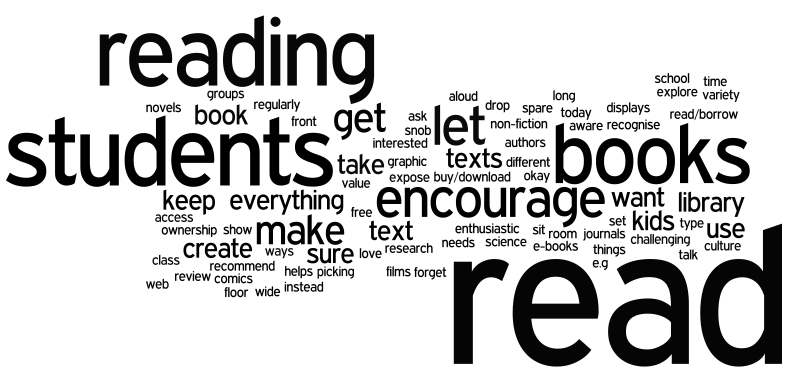
edread wordle

While resources, websites and apps are helpful tools I am firmly of the belief that it is the attitude and values that you take into the classroom with you that will have the greatest impact on whether you can engage your students in reading.

Here is a compendium of ideas and values shared by the wonderful members of my Twitter PLN that you can use to help your students engage in reading:

  • “Set kids free to read”
  • “Recognise everything that they read” – e.g. Science text book, comics, the web
  • “Make sure kids are aware of all the things they read”
  • “Read in front of your students”
  • “Read to your students”
  • “Read the books you love”
  • “Use graphic novels”
  • “Use e-books”
  • “Take them to the library”
  • “Take them to the library regularly”
  • “Talk about books in class”
  • “Get students to review and recommend books”
  • “Drop everything and read”
  • “Make time to read”
  • “Let them read what they want”
  • “Let them sit on the floor and read”
  • “Keep spare books in your room – let the students read/borrow them”
  • “Encourage them to read about what they are interested in”
  • “Show them different ways of picking books”
  • “Say its okay if they don’t want to read today – let them research instead – its a type of reading too!”
  • “Create a culture of reading”
  • “Make sure they can access non-fiction texts”
  • “Encourage students to read aloud”
  • “Encourage them to read in groups”
  • “Don’t forget films!”
  • “Create book displays”
  • “Get authors in school”
  • “Get students to keep reading journals”
  • “For some reading needs to be challenging”
  • “Expose them to a wide variety of texts”
  • “Ask students to buy/download books – ownership helps them value it”
  • “Encourage them to explore reading”
  • “Be enthusiastic”
  • “Don’t be a reading snob”
  • “Any text will do! As long as they are reading”
  • “Read well – make books come to life”

Thanks to everyone who has contributed to the #edread discussion.  I’m not going to post on this topic for a while but I will add resources to the main #edread page as they are shared on Twitter.

Remember you can see all of the tweets here and all of the resources that have been shared here.

Image created using Wordle.